Converting Slides to Files
Sat Dec 13, 2008 9:55 am
This may be the wrong place for this, but I'm starting to look at Slide converters so I can scan some of my thousands of slides and I thought there are probably many WIX'ers out there with the same question.
What do you guys use?
I see good and bad results and really want the best I can get. I tried scanning them with a multi-purpose scanner at work and have not been too pleased with it.
Thanks.
Jerry
What do you guys use?
I see good and bad results and really want the best I can get. I tried scanning them with a multi-purpose scanner at work and have not been too pleased with it.
Thanks.
Jerry
Sat Dec 13, 2008 11:18 am
I use a Konica-Minolta Slide / 35mm scanner. You can scan slides / 35mm negatives up to 3200 dpi.
It comes with a tray that holds 4 slides or a separate tray that will hold a strip of 5 35mm negs.
It does a fantastic job and does way better than any flatbed scanner that I have used.
Here is one that I found on ebay (they don't make them anymore)
http://cgi.ebay.com/Konica-Minolta-Dimage-Scan-Dual-IV-35mm-Slide-Scan_W0QQitemZ170285961690QQcmdZViewItemQQptZLH_DefaultDomain_0?hash=item170285961690&_trksid=p3286.c0.m14&_trkparms=72%3A1205%7C66%3A2%7C65%3A12%7C39%3A1%7C240%3A1318%7C301%3A1%7C293%3A1%7C294%3A50[/url]
It comes with a tray that holds 4 slides or a separate tray that will hold a strip of 5 35mm negs.
It does a fantastic job and does way better than any flatbed scanner that I have used.
Here is one that I found on ebay (they don't make them anymore)
http://cgi.ebay.com/Konica-Minolta-Dimage-Scan-Dual-IV-35mm-Slide-Scan_W0QQitemZ170285961690QQcmdZViewItemQQptZLH_DefaultDomain_0?hash=item170285961690&_trksid=p3286.c0.m14&_trkparms=72%3A1205%7C66%3A2%7C65%3A12%7C39%3A1%7C240%3A1318%7C301%3A1%7C293%3A1%7C294%3A50[/url]
Sat Dec 13, 2008 11:26 am
I used PrimeFilm 3600u, it only does one at a time. All my Catch 22 pix where do with it. I think I paid about $110 for it.
Sat Dec 13, 2008 2:48 pm
I have a HP G4050 that will scan 16 at a time. It does a fair job.
The problem I have with slides is the dust. They attract dust by they very nature. I hit them with air and that helps.
The problem I have with slides is the dust. They attract dust by they very nature. I hit them with air and that helps.
Sat Dec 13, 2008 3:40 pm
I use a Canon Canoscan 8600F flatbed scanner. It came with a number of quality plastic slide/film holders. With 35mm slides, you can scan 4 at a time. When you acquire the images from the scanner through Adobe Photoshop or Photoshop Elements (very highly recommended), you can specify different settings for each of the four slides (i.e. backlight correction, resolution, dust correction, etc.) very easily and quickly and you get an instantaneous preview of the slide with those settings. You can scan up to 9600 dpi, but I use 1200 dpi which yields a .jpeg, bitmap or .tif file size of about 5 to 6 megabytes. I am quite happy with this scanner and continue the long (but enjoyable) process of digitizing 31 years worth of Kodachrome and Ektachrome slides! Dust control is important so just blow everything off for every scan with an air-can sprayer available at any electronics store. I have found that program-based dust removal during the scan slightly degrades the overall quality of the photo though. It is much better to later remove the few individual, remaining spots using a sophisticated program like Photoshop. It is not really difficult at all. Use of the aircan sprayer is still a necessity though, in my opinion. It saves a lot of work later on. Below are a couple examples of Kodachrome slide scans from the Canon 8600F. With the exception of cropping, these images are totally unedited. Both photos were scanned at 1200 dpi.


Last edited by octane130 on Sat Dec 13, 2008 6:50 pm, edited 6 times in total.
Sat Dec 13, 2008 4:13 pm
Epson is best scaner for that purpose. Some expensive version have adapters for different transparencies.
Sat Dec 13, 2008 4:27 pm
The flatbeds are good for web-sized scans. If you want to make prints bigger than 4x6 the dedicated film scanners are much better. Mine is a Minolta Dimage 5400, out of production. It has infrared dust removal which is also available on the better flatbeds and very much worth getting. Nikon is currenty the only maker of good consumer film scanners. I have seen $99 film scanners at various stores such as Bed Bath and Beyond which probably are not even as good as a good flatbed. Some older discontinued film scanners like the HP Photosmart which I used to use can still give a better scan than any flatbed, though without the IR dust removal.
Doing a proper job scanning, cleaning, cropping and color correcting a pic, even just for web posting, takes 10 to 20 minutes per pic, so be sure you have some free time.
August
Doing a proper job scanning, cleaning, cropping and color correcting a pic, even just for web posting, takes 10 to 20 minutes per pic, so be sure you have some free time.
August
Sat Dec 13, 2008 4:35 pm
I get great results with the slide copier lens.This is for SLR cameras.They're more affordable than other scanners.

Sat Dec 13, 2008 4:43 pm
Do be careful with canned air -- it can apparently sometimes spray liquid propellant which is NOT good for slides! I don't generally use it (I use a Staticmaster brush for cleaning), but this is what I've read about canned air. Apparently you should always give it a clearing squirt before pointing it at an important slide.
There is no question though that it is MUCH easier to remove the dust as much as possible before scanning -- it can be an agonizing and endless session of cloning out spots otherwise...
There is no question though that it is MUCH easier to remove the dust as much as possible before scanning -- it can be an agonizing and endless session of cloning out spots otherwise...
Sat Dec 13, 2008 4:58 pm
octane130 wrote:I use a Canon Canoscan 8600F flatbed scanner.
I'm trying to use the cheapo Canoscan 500F to convert my slides, without great results. Can I pick your brain please?
I find I have to remove the slide from the cardboard or plastic carrier to get good focus, in other words the film has to be flat on the bed. Do you have this issue?
Some of the older slides (my father's from the 1950s and 1960s) are very faded. I'm using Photostudio 5.5 to fix this, but with inconsistant results. Are you fixing this sort of thing in Photoshop?
Sat Dec 13, 2008 5:14 pm
I have the CanoScan 8400F flatbed with Silverfast software - great results !
No such problems as you describe
used to have the Nikon Coolscan 2000 - but there the Kodachrome earth tones weren't coming out right
Martin
No such problems as you describe
used to have the Nikon Coolscan 2000 - but there the Kodachrome earth tones weren't coming out right
Martin
Sat Dec 13, 2008 5:54 pm
I'm trying to use the cheapo Canoscan 500F to convert my slides, without great results. Can I pick your brain please?
I find I have to remove the slide from the cardboard or plastic carrier to get good focus, in other words the film has to be flat on the bed. Do you have this issue?
Some of the older slides (my father's from the 1950s and 1960s) are very faded. I'm using Photostudio 5.5 to fix this, but with inconsistant results. Are you fixing this sort of thing in Photoshop?
Bill: I have no trouble with maintaining focus on the scans of my slides, so I can't help you on that issue. As far as the fading of old slides, my oldest slides are about 67 years old and they are Kodachrome (no, I didn't take them. I'm old but I'm not that old). There is no fading whatsoever on these "non-substantive emulsion" Kodachrome slides. The oldest slides that I have personally taken are 31 years old. As expected, the non-substantive emulsion Kodachrome slides have no fading at all, whereas the oldest "substantive emulsion" Ektachrome slides of that age are just beginning to show some fading. The fading correction in Photoshop easily took care of this slight fading on the Ektachromes. However, your faded photos from the 1950s and 1960s are probably a whole different matter. Perhaps someone else more knowledgeable can reflect on this matter
 .
.
Sat Dec 13, 2008 6:10 pm
Jerry,
Good info here as I oo have yet to buy a new scanner. Here is a post I placed about a year ago asking the same thing on FenceCheck.com although I have still yet to buy a better scanner than my current one. Hans Rolink showed a nice description with several pictures from a scan: http://www.fencecheck.com/forums/index. ... 195.0.html
Octane130, I think when I do buy a scanner, you've got me sold on the model you have. It's always nice to see results, and not just what people like. I think to help Jerry, if you can post a sample from your scanners would be helpful.
Good info here as I oo have yet to buy a new scanner. Here is a post I placed about a year ago asking the same thing on FenceCheck.com although I have still yet to buy a better scanner than my current one. Hans Rolink showed a nice description with several pictures from a scan: http://www.fencecheck.com/forums/index. ... 195.0.html
Octane130, I think when I do buy a scanner, you've got me sold on the model you have. It's always nice to see results, and not just what people like. I think to help Jerry, if you can post a sample from your scanners would be helpful.
Sat Dec 13, 2008 6:31 pm
I have been using an aging Minolta Dual Scan III dedicated slide and film scanner -- a couple of scans below. I've been planning to buy a Nikon Coolscan to replace it but I too am very impressed with Octane's scans. Has anybody compared print quality (much harder for a scanner than the small web scans we post here) between a good dedicated slide scanner and a high end flatbed?
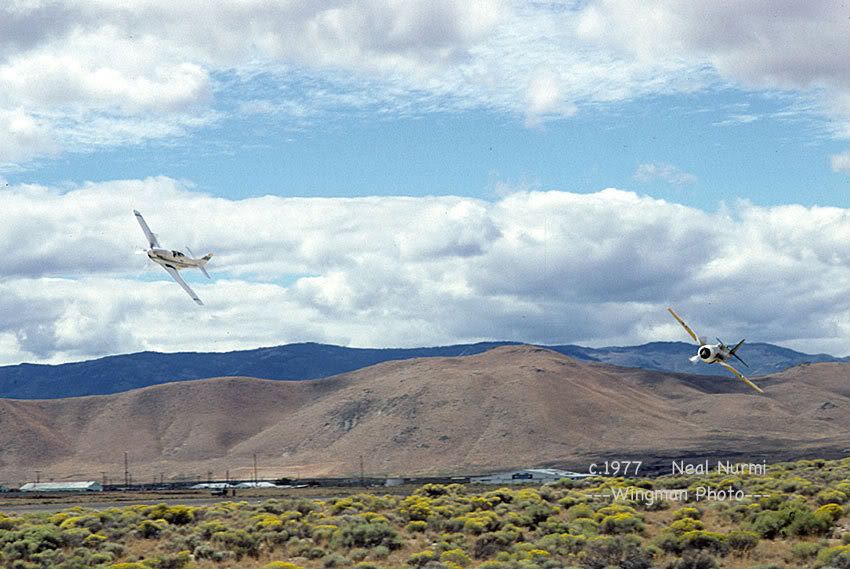
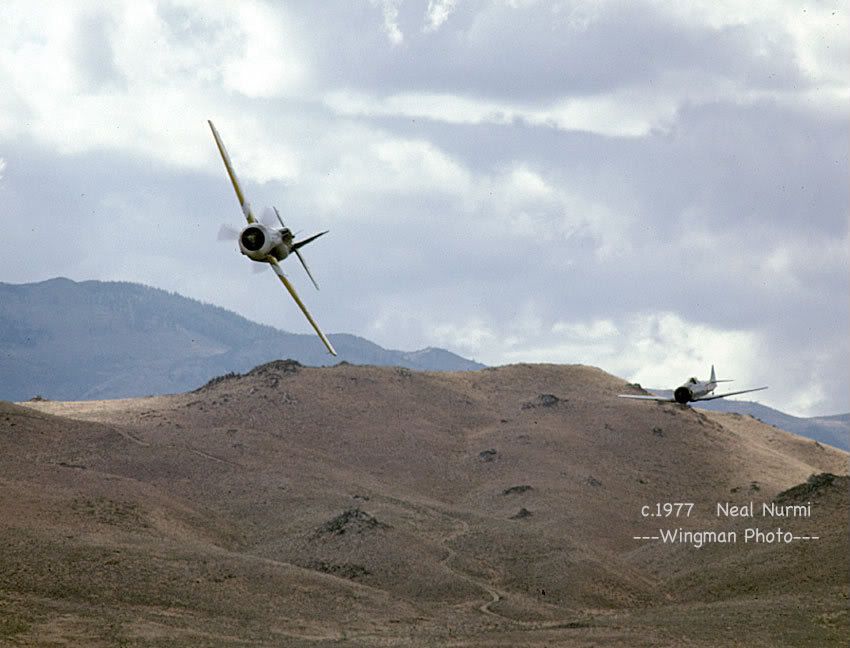

Sat Dec 13, 2008 8:32 pm
Neal Nurmi wrote:I have been using an aging Minolta Dual Scan III dedicated slide and film scanner -- a couple of scans below. I've been planning to buy a Nikon Coolscan to replace it but I too am very impressed with Octane's scans. Has anybody compared print quality (much harder for a scanner than the small web scans we post here) between a good dedicated slide scanner and a high end flatbed?
Yes, many people have. The "digital darkroom" forum on photo.net is a great source of info, and you can read many threads on this without joining the site. Dedicated film scanners have a pronounced edge on resolution and color depth. None of the flatbeds achieves much beyond 1200 dpi no matter what the specs claim, whereas film scanners continue getting useful info beyond 4800 dpi. It doesn't much matter for a 4x6 or a web posting, but if you're good at scanning, processing, and printing, you can get much more out of a film scanner for larger prints. Also, if you feel the pics have historical value and are worth preserving at the highest resolution possible, a film scanner captures most of the detail on the film, right down to the grain, where a flatbed does not.
I haven't invested in a film scanner that can handle medium format yet so I do 35mm on my film scanner but use an Epson flatbed for the larger formats. Because there's so much area on a 6x7cm slide to scan, the flatbed produces decent results for prints up to 8x10, but if you take a look at raw scans at full magnification at the same nominal resolution, the scanners aren't close at all. OTOH flatbeds are cheap, and also come in handy for scanning prints when you've lost your negs or slides.
August
August